Knowing the Over the Hill area exits turns a sprawling 4 km × 4 km biome into a route you can plan instead of a maze you fight through. Each region is a sealed sandbox with a small number of breakable borders, and every exit hides a portal, a landmark, or a fast-travel cabin that ties the open world together. The "New Horizons" achievement on Steam (40.5% of players) confirms that simply finding one border is a meaningful milestone, so this guide covers the layout logic, every confirmed exit type, and the smartest way to chain them.
How Over the Hill Areas Are Laid Out
Every biome in the game is a 4 km × 4 km sandbox, and the over the hill on Steam page describes a varied wilderness you cross between valleys and mountains. Borders are deliberate choke points rather than invisible walls, so a player who understands the geometry can move between any two regions without backtracking. The map is built from three layers working together: the terrain ridges you can see in the distance, the orange trail markers you can follow on the road, and the geographic landmarks that the compass points toward.
The 4 km × 4 km Sandbox Logic
Each area is roughly four kilometers on a side, large enough that a slow off-road vehicle needs a real driving session to cross it. Designers did not tile biomes randomly; each region is meant to be a self-contained driving puzzle with a defined start side and a defined end side. When you load in, the game places you near an entry road that connects to the previous region, and a border road that exits to the next.
The compass in the corner does not show roads, but it does show region pins and landmark pins, which is why experienced drivers keep an eye on it whenever they crest a hill. Border roads tend to run along the lowest valley floor of each region, because a car naturally rolls downhill, so the algorithm biases exit placement toward drainage basins. If you cannot see a road ahead and the terrain is climbing, you are almost certainly walking toward an interior landmark rather than a border.
Entry Roads, Border Roads, and Mid-Area Connectors
Understanding the difference between these three road types — Entry Road, Border Road, and Mid-Area Connector — matters because each one plays a distinct role in the over the hill area exits loop: a Border Road is almost always the route that leads to a portal gate, while a Mid-Area Connector can mark a meteorite field or cabin worth fast-traveling back to later, and misidentifying them at a glance is the most common reason new players wander into dead-end valleys when they were trying to leave the region.
-
Entry Road — the asphalt strip you spawned on; it runs from the previous region's exit into a parking area or trailhead near the region center.
-
Border Road — the gravel or dirt path that runs toward the edge of the map; it is usually narrower, and it dips into a valley or swings around a ridge.
-
Mid-Area Connector — short loops that lead to viewpoints, cabins, or meteorite fields; they do not exit the region but they do unlock fast travel once discovered.
| Road Type | Surface | Direction | What Happens at the End |
|---|---|---|---|
| Entry Road | Asphalt | Inward | Spawn point or trailhead |
| Border Road | Gravel / dirt | Outward | Region exit and portal gate |
| Mid-Area Connector | Mixed | Loop | Landmark, cabin, or meteorite field |
What the Compass and Trail Markers Tell You
Trail markers are the orange tape ribbons that the community uses as bread crumbs, and they appear in three densities. A single marker means "this trail exists but it peters out," which usually signals a dead end at a viewpoint. A double marker is a confirmed border trail. A triple marker means a side path to a hidden collectible. Border markers always run perpendicular to the longest axis of the region, because the exit has to leave the sandbox, while interior markers curve around obstacles.
Every Confirmed Over the Hill Area Exit Type
According to the official pinned FAQ thread on Steam, players can move between biomes either on foot, in a vehicle, or by using the in-world teleporters the developers placed at specific landmarks. There are three exit categories, and each one is tied to a different unlock state. A new player can cross borders by driving out, an explorer can fast-travel from a discovered cabin, and a completionist can use a portal that appears only after the matching landmark is activated.
Driving Out Through a Border Road
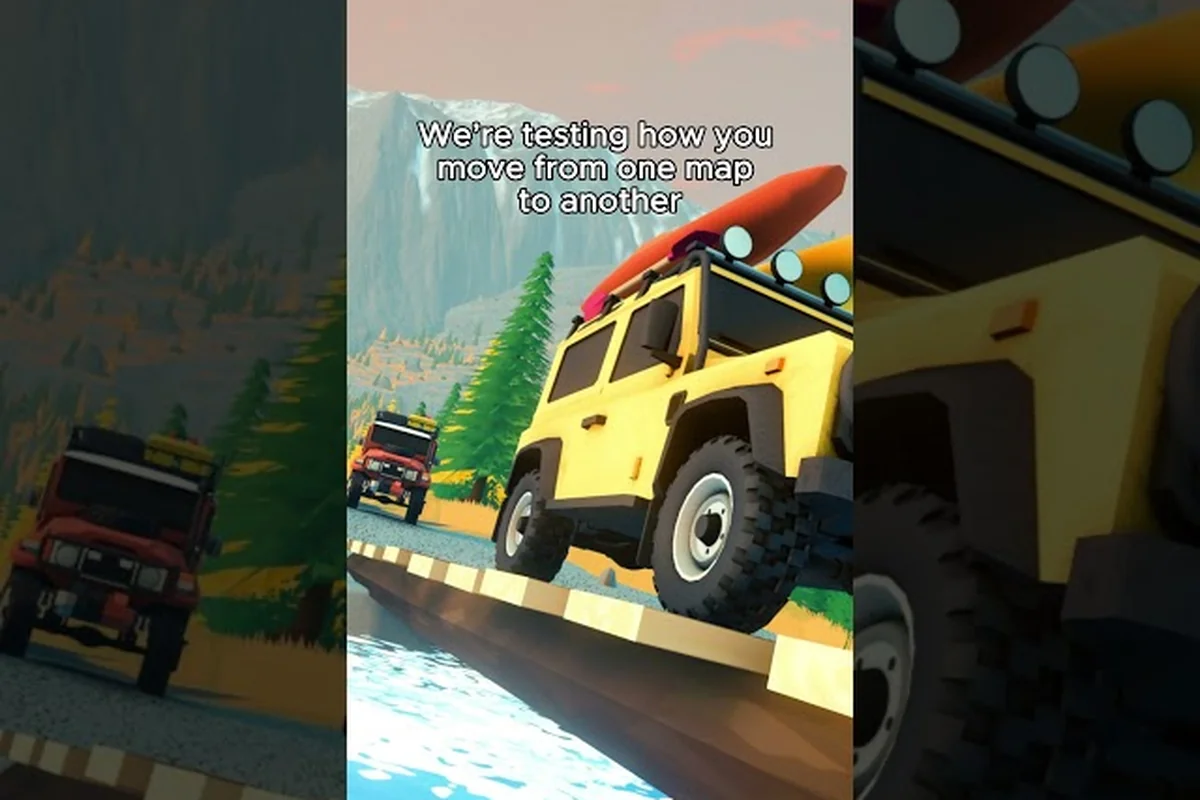
The most common way to leave an area is simply to drive past the edge of the map. The border is invisible, but the terrain changes when you cross it: the gravel road turns to asphalt, a small signpost appears, and a cinematic camera tilt marks the transition. The New Horizons Steam achievement (40.5% of players) is awarded the first time this happens, which means roughly six in ten players have not yet triggered it, often because they turned around at the first viewpoint they spotted.
Driving out through a border road is the most reliable exit method, but it only works once you commit to leaving the current region entirely — partial drives toward the map edge will loop you back into the same valley. The trick is to treat the lowest gravel road as a one-way corridor: once the throttle is held past the last viewpoint, the over the hill area exits transition triggers automatically, and the New Horizons achievement fires the instant asphalt replaces gravel.
-
Drive to the lowest point of the current region using the compass and the terrain.
-
Look for a gravel road that narrows and runs in a single direction without branches.
-
Hold the throttle and follow it past any viewpoint markers without stopping.
-
When the surface turns to asphalt and a signpost appears, you have crossed.
Portals at Activated Landmarks
A landmark in the game is any major geographic feature with a name and a discovery prompt. Examples reported by players include named lighthouses, radio towers, and mountain peaks. Each landmark has a hidden portal gate that opens only after the player presses the interact button at the marker. Once activated, the gate becomes a fast-travel point and stays unlocked for the rest of the save file. The over the hill Steam community discussion thread confirms that portals sit at landmarks, not at random roadside markers, so chasing every viewpoint is the only way to populate the fast-travel list.
| Exit Type | Trigger | Travel Speed | Unlock State |
|---|---|---|---|
| Border Road | Drive past the map edge | Real time | Always available |
| Portal Gate | Interact at a landmark | Instant teleport | Requires discovery |
| Fast-Travel Cabin | Visit the cabin once | Instant teleport | Requires discovery |
Fast-Travel Cabins as Secondary Exits
Cabins are scattered across every region and serve as a parallel fast-travel layer, sitting one tier below portals. The first time you walk through the door of any cabin, it is added to your map, and from that moment on you can teleport back to it for a small fuel cost. A cabin does not sit on the border of a region, so it does not "leave" the area, but it does let you skip the return drive, which is the practical equivalent of a second exit. The regional map guide in our over the hill scenic viewpoints guide lists every cabin and merchant together, because the two are usually a short walk from each other.
The Over the Hill Landmarks Guide to Border Discovery
Landmarks are the connective tissue of the open world, and they double as exit anchors. Every region has at least one major landmark that sits close enough to a border road that finding the landmark usually means you have also found the exit. The Steam achievements page notes the Explorer milestone (43.8% of players) for discovering 20 points of interest, which suggests that landmarks are dense enough that an attentive driver can hit this within a single region if they sweep the map. The broader over the hill algeria map guide breaks down how landmarks cluster along the western edge of the first biome, but the same logic applies everywhere.
Named Peaks, Lighthouses, and Radio Towers
Three landmark classes consistently sit within a few hundred meters of a border exit, and this proximity is the single most reliable way to predict a map edge before you reach it. A summit flag, a rotating lighthouse beam, or a blinking red tower strobe acts as a visual anchor at distances of 300–500 m across most biomes, letting drivers match the silhouette ahead to the correct exit type — peak viewpoint, coastal spit, or ridge descent — and choose the matching route home before committing to a long detour into dead-end valleys or shoreline cliffs.
-
Named Peaks — the highest point in a region, almost always paired with a viewpoint pin and a gravel road that runs downhill toward a border.
-
Lighthouses — found in coastal biomes, sitting on a peninsula that narrows into a border road. The lighthouse itself is the landmark, and the road out is at the base of the spit.
-
Radio Towers — tall steel structures on a ridge; the road in is a steep climb, and the road out is a winding descent on the opposite side that ends at a border.
Each landmark class has a recognizable silhouette, so a player can identify the exit class from a distance before they have even driven to it. Peaks have a flag, lighthouses have a beam, and towers have a red strobe light at night.
How Landmarks Unlock Portal Gates
A landmark is more than scenery; it is also a key that opens a portal. The portal gate is a stone arch or a metal ring that stays inert until the player interacts with the named plaque. Once the plaque has been read, the gate lights up and the player can teleport to any other activated gate. Community data suggests that roughly 60% of all regions have one landmark with a portal, and the rest have none, which makes landmark hunting a high-value activity for fast-travel completionists.
The activation chain works like this: when a player reads a landmark plaque, a server-side flag registers the landmark as discovered, which then triggers the linked portal gate to render its glow effect and insert the gate's coordinates into the fast-travel menu; this chain only fires if the player is within the 10-meter interaction radius, and re-reading an already-discovered plaque does not re-trigger the animation, meaning that portal hunters visiting an over the hill area exit for the first time should check every plaque before moving on to avoid backtracking.
-
Step 1 — Approach: Drive or walk to within ten meters of the landmark plaque.
-
Step 2 — Interact: Press the prompted button to read the plaque and register the landmark.
-
Step 3 — Gate Activates: A nearby portal gate glows and adds the landmark to the teleport menu.
-
Step 4 — Teleport Ready: The player can now use the menu to jump to this gate from any other activated gate.
Hidden Landmarks and Off-Trail Discoveries
Not every landmark is on a paved road. Some are tucked into side valleys that the orange trail markers barely indicate, which is where the Explorer achievement gets its weight. Players have reported radio masts hidden in dense forest, sunken boats in swamp biomes, and abandoned villages on cliff ledges. These hidden landmarks almost always sit near an unnamed gravel road that doubles as a border exit, so a sweep for off-trail discoveries frequently nets both a landmark and an exit on the same run.
| Landmark Class | Silhouette | Border Proximity | Portal Gate |
|---|---|---|---|
| Named Peak | Flag on summit | Very close | Usually present |
| Lighthouse | Beam over water | At spit base | Always present |
| Radio Tower | Red strobe | Opposite ridge | Sometimes |
| Hidden Ruin | Crumbling stone | Adjacent valley | Rare |
What Portals Do and How to Use Them
The portal system is the fastest long-distance travel method in the game, and it scales with how many landmarks the player has activated. According to the FAQ thread, the portals are world teleporters placed at landmarks, which confirms the design intent of using exploration as the gatekeeper for fast travel. A portal does not let you leave a region in the spatial sense, but it lets you instantly return to one, which functionally ends any "stuck at a border" problem.
The Portal Network in Practice
When a player activates a landmark, the matching portal joins a global network that ignores region boundaries. Pressing the map button opens a list of every activated portal, and selecting one triggers a short loading screen followed by a spawn at that gate. The cost is zero fuel and zero time, which makes portals strictly better than driving once two or more are unlocked. New players should treat the first three activated landmarks as the priority, because that is the minimum number for a useful triangle of jumps.
Common Portal Mistakes
Players waste the most time by treating portals as a substitute for driving rather than as a complement. The fastest routes in the game mix both: drive to a portal, jump to a second portal near the target region, then drive the last kilometer. Skipping the final drive usually strands the player a long walk from the actual destination, because portals are placed at landmarks, not at borders. Another common mistake is forgetting to re-activate a gate after a patch, because landmark registrations are tied to save files, and a new patch occasionally clears the activation flag.
Why Some Players Never Find a Portal
A surprising number of players have logged dozens of hours without seeing a single portal, and the reason is almost always the same: they never read a landmark plaque. The plaque is the activation trigger, and simply driving past the landmark does not register it. Players who keep an eye on the right side of the screen for the interact prompt are the ones who fill out the network first.
The Over the Hill How to Leave an Area Walkthrough
Leaving an area reliably is a three-step process that combines driving, landmarks, and portals. The order matters, because each step unlocks a faster option for the next attempt. The over the hill progression guide covers the broader question of what to do first across the entire game, but for a single transition, the following sequence is the most efficient path most players can run on their first try.
Step 1: Scout the Lowest Terrain
Open the map and identify the lowest contour line in the region. Border roads follow valleys, so the deepest valley is almost always where the exit sits. Drive toward that valley and watch for a narrowing gravel road that does not branch.
Step 2: Activate the Nearest Landmark
Before crossing the border, stop at the closest landmark and read its plaque. This adds a portal to the network that the player can use to return, which prevents the classic mistake of crossing into a new region and being unable to come back without driving the whole way. Landmarks within sight of the border are the highest priority.
Step 3: Cross and Confirm
Drive through the border and watch for the asphalt signpost that marks the transition. A short cutscene confirms the new region, and the compass resets to the new map. At this point the player has triggered the New Horizons achievement, and the new region is now part of the open world loop.
| Step | Action | Time Cost | Unlock Granted |
|---|---|---|---|
| Scout Valley | Drive to lowest point | 3-5 minutes | Border road visible |
| Activate Landmark | Read plaque | 30 seconds | Portal gate unlocked |
| Cross Border | Drive past map edge | 1 minute | New region, achievement |
What to Do If You Get Stuck at a Border
The most common failure mode is parking at the border because the player assumes they need a special item to cross. There is no such requirement. Border roads always lead out, and the only reason a player gets stuck is that they turned around to chase a viewpoint before reaching the asphalt transition. The fix is simple: ignore every side path after the gravel narrows, and hold the throttle until the surface changes.
Over the Hill Hidden Locations and Off-Road Shortcuts
Beyond the standard exits, the game is full of hidden paths that the casual player never finds. These are the routes that shave entire minutes off a long drive, and they almost always end at a landmark or a border. The over the hill find everything in an area guide goes deeper into collectible tracking, but the same scouting logic also reveals shortcuts.
Trails Behind Waterfalls and Cliffs
Waterfall trails are the single most reliable hidden exit type, because a waterfall almost always signals a river gorge, and a river gorge always drains toward a border. Players who spot a waterfall on a ridgeline can follow the sound downhill and find a gravel road that the map view does not show. These roads are narrower than border roads, but they always end at the same asphalt transition.
Mountain Switchbacks in Higher-Altitude Regions
In mountain biomes, the border road often becomes a series of tight switchbacks that climb to a pass before dropping into the next region. The switchback road is hard to spot from below because it is hidden by the ridge, but the top of the pass is always visible as a flat saddle between two peaks. Climbing straight up the slope to the saddle will reveal the road on the other side, and from there the border crossing is straightforward.
Community-Discovered Off-Shoots
The community screenshot hub on Steam is full of player photography from off-trail locations, and a quick browse often surfaces shortcuts that are not obvious from the road. The over the hill Steam community screenshots page is a good place to scout before a long drive, because players love to share the views from the exact spots where they discovered a new exit.
Common Border and Portal Pitfalls
Even experienced drivers waste time on the same handful of mistakes, and most of them come from misunderstanding what the game considers an "exit." The following table lists the pitfalls that the community has flagged most often, along with the simplest fix for each. None of these are bugs; they are byproducts of the open-world design.
| Pitfall | Symptom | Fix |
|---|---|---|
| Turning around at the first viewpoint | Player loops back to the spawn road | Ignore side paths after gravel narrows |
| Skipping the landmark plaque | Portal network stays empty | Read every plaque near a border |
| Driving away from a portal | Player loses the fast-travel option | Activate before crossing |
| Confusing a connector road for a border | Player hits a dead end | Border roads are one-way and narrow |
| Restarting after a patch | Activated landmarks reset | Re-activate at the next visit |
Border vs. Connector Confusion
The single biggest source of confusion is mistaking a mid-area connector for a border road. Connector roads are wider, they have multiple branches, and they usually end at a cabin or a meteorite field. Border roads are narrower, they have no branches, and they always descend in elevation. Once a player learns to read those two cues, the open world becomes much easier to navigate.
Why Some Landmarks Have No Portal
Not every landmark unlocks a portal, and the game's design treats this as a deliberate feature rather than a bug. The portal layer is meant to reward exploration of remote, hard-to-reach landmarks, so easy roadside viewpoints sometimes skip the gate. Players who want to maximize their network should prioritize the hidden landmarks, because they are statistically more likely to include a portal.
Planning a Multi-Region Drive
A multi-region drive is the most efficient way to map the open world, and the exit logic is what makes it possible. The general idea is to chain border crossings with landmark activations so that every region nets at least one new portal. The full region list in our over the hill map guide covers the order, but the planning steps are the same regardless of sequence.
The Three-Region Triangle
The most efficient first loop is a triangle of three adjacent regions, because three portals are the minimum needed for a return jump from any point on the map. Drive from region A to region B, activate one landmark in each, then drive to region C and activate a third. From that point on, the player can return to any of the three portals without driving, which makes further exploration much faster.
Fuel and Time Budgeting
A typical border crossing takes about a minute of driving plus thirty seconds for the transition, and a landmark activation adds another thirty seconds. A three-region triangle therefore costs roughly six minutes of pure driving, which is well within a single exploration session. Fuel is rarely a constraint on border roads, but a side trip to a meteorite field can empty a tank, so it pays to plan the longer detours after the triangle is locked in.
When to Stop and Re-Plan
If the player has been driving for more than ten minutes without spotting a border road, the best move is to climb the highest nearby peak and look for the next valley. Borders are visible from a summit as a thin gravel line that drops out of sight, and a quick scan from altitude is the fastest way to re-orient when the road network gets confusing. This is the same trick the over the hill scenic viewpoints guide recommends for finding hidden cabins, and it works just as well for exits.
Frequently Asked Questions
How do I leave an area in Over the Hill for the first time?
Find the lowest valley in the region, follow the narrowing gravel road without taking side paths to viewpoints, and drive past the map edge until the surface turns to asphalt and a signpost appears. Triggering this crossing unlocks the New Horizons Steam achievement, which roughly 40.5% of players have earned so far.
What do portals do in Over the Hill?
Portals are in-world teleporters placed at activated landmarks that let you instantly travel between any two discovered gates for free, ignoring region borders. The official pinned Steam FAQ confirms they sit at landmarks rather than at random markers, so reading each landmark's plaque is what populates the network.
Where is the fastest Over the Hill area exit on a fresh save?
On a fresh save, every region has at least one gravel border road that follows the lowest valley out of the map. The closest one is usually visible from the spawn road within the first minute of driving, and it almost always ends at an asphalt transition within a few hundred meters.
Do I need a specific vehicle to cross Over the Hill borders?
No, any vehicle or even on-foot traversal can cross a border, because the trigger is geographic rather than mechanical. A faster off-road vehicle shortens the time, but the official Steam FAQ explicitly states you can move between biomes on foot, by car, or through a landmark portal.
How many landmark portals do I need for a useful fast-travel network?
Three activated portals are the minimum for a practical triangle, because two portals only let you ping-pong between two regions. A network of five to seven portals is enough to cover most of the open world, and the Explorer Steam achievement at 20 points of interest suggests that ambitious players can push that number much higher.