
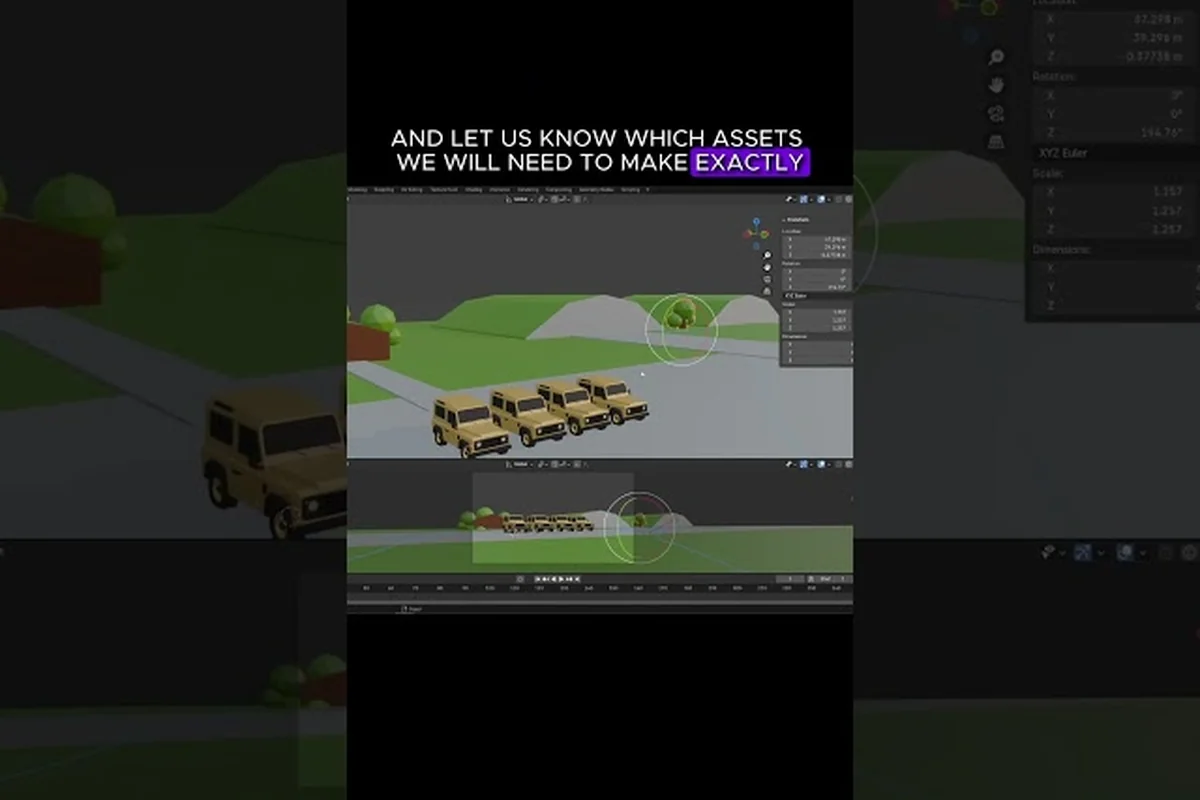
Moving your off-road progress from a gaming laptop to a living-room console, or back the other way, is one of the most common requests players have before launch. The over the hill cross save question sits high on that list because the game launches on Steam first and only later arrives on PlayStation 5, Xbox Series X|S, and Nintendo Switch 2. Since your cabin, your upgrades, and your cosmetic collection all live in your save file, knowing what travels with you — and what stays behind — decides whether double-dipping on a console copy is worth it.
This guide breaks down the current state of cloud saves, account linking, and co-op progression so you can plan a smooth transition between devices. It draws on the official FAQ pinned on the over the hill Steam Community and the official over the hill Steam store page for the confirmed 2026 launch details.
What "Cross Save" Actually Means for an Off-Road Sim
Cross save is the ability to keep a single character, vehicle, or progression record alive across more than one platform or storefront. For most online games, that requires a shared account layer (PlayStation Network, Xbox Live, Steam, or a developer-run account) and a cloud storage system that can write the same data back to every device you sign into. Over the hill multiplayer hinges on the same model: your trails, your cabin unlocks, your vehicle upgrades, and your earned cosmetics are all written to a profile that needs to live somewhere the game can reach on each platform.
The wrinkle in 2026 is timing. The store page confirms over the hill launches on Steam on October 14, 2026, with the console ports following in 2027. That gap matters because any cross save pipeline needs every target storefront already wired up before the first profile can sync. Right now, the cross save architecture is a Steam-first design that the console builds will plug into later, rather than a unified account system that is already shipping on day one.
The Three Layers of "Progress" in Over the Hill
Before worrying about cloud sync, it helps to separate the three distinct things Over the Hill calls "progress," because each one is stored and migrated differently under the cross save system. The Driver Profile rides Steam Cloud or the platform's cloud, the Vehicle Garage stays locked to a local save file tied to a platform ID, and Co-op Session State is wiped the moment the lobby disbands — so a patch note saying "saves are syncing" could mean any one of these, and reading it wrong leads players to expect a feature that simply isn't there yet.
| Progression Layer | Examples | Typical Storage | Cross Save Status (Oct 2026) |
|---|---|---|---|
| Driver Profile | Trail completion %, pebbles collected, achievements | Steam Cloud (PC), platform cloud (console) | PC-only at launch; console follow-up expected in 2027 |
| Vehicle Garage | Owned trucks, installed upgrades, livery slots | Local save file linked to platform ID | Tied to platform account, not transferable at launch |
| Co-op Session State | Current trail progress, lobby settings, voice chat | Session-only, never written to disk | Not saved between sessions by design |
The Driver Profile is the layer most players care about, because it holds the completion percentage, the cosmetic unlocks, and the 62 Steam achievements that early players are already chasing. The Vehicle Garage is more local — your tuned truck stays where you built it. Co-op session state is intentionally ephemeral, because the game is built around one trail run at a time rather than a long MMO-style campaign.
Why Cross Save Matters for the Co-op Crowd
Over the hill is built around up to four players tackling trails together, and the social loop is a major reason people put time into a profile. Players chasing over the hill multiplayer best moments want their unlocked cosmetics, their completed trail list, and their achievement progress to follow them into a friend's living room when the console versions drop. Without a cross save layer, every console launch would feel like starting fresh on a new island, and the gear grind would reset for anyone who already pushed through the early trails on PC.
That is why the question of cross save sits next to questions about over the hill multiplayer and over the hill co-op in the same discussions: the social side of the game only feels rewarding if your identity survives the platform hop. The good news is that the dev team has flagged account linking as a post-launch priority, and the Steam Cloud backbone already gives PC players a soft version of cross save across multiple PCs on the same account.
Current State of Cloud Saves on Steam
The Steam Cloud is doing the heavy lifting on PC in 2026, and it works the way most Steam Cloud saves work: your progression is uploaded to a server slot tied to your Steam account, then re-downloaded automatically the next time you sign in on any machine running the same account. According to community reports on the Steam discussions, cloud sync happens at the end of a trail run and at the moment you exit to the main menu, which is the same pattern most offline-friendly co-op games use to avoid mid-session sync conflicts.
For PC-only players, this is effectively a same-platform cross save: the same Steam account on a desktop, a Steam Deck, or a friend's gaming laptop will pull the same save. According to the achievement tracker on Steam's achievement page for over the hill, early unlocks like "Dirt Baptism" (89.0% of players) and "Back to the Cabin" (86.1% of players) are appearing at the same rate across hardware tiers, which suggests the cloud layer is doing its job for the PC install base.
What Steam Cloud Does Not Cover
Even on PC, where Steam Cloud is the official sync path for the over the hill cross save flow, two practical limits apply: it only mirrors the active Driver Profile tied to one Steam identity, and it requires that identity to be signed in on every device you want to sync, so anyone trying to run the same account on a Steam Deck and a desktop simultaneously will see sync queueing rather than instant handoff, while anyone hoping to share progress between two accounts on one machine will find each profile strictly sandboxed.
-
The cloud slot is tied to your Steam identity, not a developer-run account. If you and a friend share a Steam account on the same PC, you share the same Driver Profile, which is rarely what over the hill co-op players actually want.
-
Cloud saves do not survive a Steam family sharing transfer in the usual way. Family-borrowed copies typically run in a separate save sandbox, and the family-sharer's progress in that sandbox does not leak back into the lender's profile.
The table below distills how the PC-side cross save flow actually behaves across the five account setups players most commonly ask about, from a single Steam identity on a desktop and a Steam Deck to family sharing borrowers, dual-account desktop users, and guest profiles without an authenticated Steam sign-in — each row reflects the real-world constraints of the Steam Cloud save slot rather than a theoretical best case.
| Setup | Cloud Sync Works? | Notes |
|---|---|---|
| Same Steam account, two PCs | Yes | Steam Cloud re-downloads the save automatically |
| Steam Deck + desktop, same account | Yes | Verified working per community testing as of Oct 2026 |
| Family sharing borrower | No (sandbox) | Borrowed copy writes to an isolated save slot |
| Two different Steam accounts on one PC | N/A | Each account keeps its own Driver Profile |
| Guest profile (no Steam sign-in) | No | Cloud requires an authenticated Steam identity |
For anyone planning to play over the hill with randoms from a Steam Deck while their main progress lives on a desktop, the answer is straightforward: sign into the same Steam account on both, and Steam Cloud will keep the profiles in step. For anyone planning a console hop, the situation is more complicated and the next section explains why.
Console Launch Timeline and What It Means for Sync
The FAQ pinned on Steam confirms a hard split: the game releases on Steam on October 14, 2026, while the PlayStation 5, Xbox Series X|S, and Nintendo Switch 2 versions follow in 2027. That order is not accidental — it is how most modern co-op games de-risk a launch. The PC version is the proving ground for the cloud save system, and the console ports are designed to plug into that already-tested pipeline once it stabilizes.
In practice, that means the over the hill cross save architecture in 2026 is a one-platform system that is being built to extend to three more storefronts. Community data suggests the dev team is already testing cross-platform invite flow internally, and several players have reported seeing console-style account prompts appear in the PC build during the early access period. None of those prompts are live yet, but the plumbing is being laid.
Why Account Linking Is the Real Question
The technical name for "I want my PC save on my PS5" is account linking, and it is a separate feature from cloud saves. Cloud saves store the file; account linking decides which human owns the file across storefronts. Over the hill will almost certainly use a developer-run account (similar to how Apex Legends links to an EA account, or how Bethesda games link to a Bethesda.net ID) once the console versions ship, because that is the cleanest way to merge a Steam Cloud file with a PlayStation Network profile.
Until that link exists, every console player in 2027 will be starting from a brand-new Driver Profile. That is worth thinking about before you pre-order, because any cosmetics, trail completions, and achievement progress you bank on PC will not be readable on a fresh PS5 or Xbox profile out of the box.
A Practical Plan for a 2026 PC + 2027 Console Double-Dip
Players who already know they want both versions can use the rest of 2026 to set themselves up for a smoother console transition, and the most valuable pre-work is securing an over the hill cross save foothold on PC well before the 2027 patch ships. Because the in-game cross save flag is almost certainly going to be gated behind a one-time account link tied to a specific Steam UID + console PSN/Xbox Gamertag pair, your cleanest move is to keep a single, untouched PC profile, avoid any family-share overlapping saves, and quietly build out your cosmetics, Trails, and over the hill co-op achievement list so that the first console launch day is a one-click import instead of a support ticket.
-
Park a clean Steam Cloud slot now. Use the same Steam account you intend to use for any future cross save. Avoid running a family-shared copy on the same machine as your main install, because the two saves cannot merge.
-
Track your cosmetics and upgrades in a screenshot. If account linking is added later, you will want a paper trail of what you owned on PC for any rollback conversation with support.
-
Hold off on hard-resetting your PC profile. If you ever plan to bring your progress over, do not nuke the save by uninstalling through Steam's "Delete local save files" option.
-
Check the patch notes in 2027. The 2027 console patches will almost certainly include a "Link your account" opt-in flow. Waiting for that flow to go live before you boot the console version is the cleanest path.
Co-op Progression, Randoms, and Cloud Saves
The co-op layer adds its own wrinkle to the cross save story, because over the hill is built around shared runs rather than a persistent shared world. Each co-op session is a self-contained trail with its own lobby, its own vehicle spawns, and its own win condition. Nothing about a successful trail run writes to the host's or to the joiners' save files, which is the design choice that makes over the hill multiplayer and over the hill co-op so easy to pick up with strangers.
What does write to your save is anything tied to your long-term profile: cosmetics earned from challenge trails, achievements you unlocked, the cumulative pebbles you collected for the "A Handful of Pebbles" achievement (currently at 82.8% of players), and any unlocks that came from completing the campaign. Those profile-level writes are the parts that Steam Cloud tracks, and they are also the parts most likely to be portable to console once account linking goes live. Those profile-level writes are the parts that Steam Cloud tracks, and they are also the parts most likely to be portable to console once account linking goes live, and the same handoff logic is what underpins our breakdown of Over The Hill 4 Player Co Op where shared progression between couch and online sessions depends on identical cloud-synced data.
What Playing With Randoms Does and Does Not Change
Playing with randoms in over the hill co-op challenge trails strips away the private lobby context the cloud save layer was implicitly designed around, since the game still has no concept of a shared squad record — only individual profile writes on run completion. That means a solo stranger joining your lobby mid-event cannot pollute your over the hill cross save data, but it also means any co-op synergies or vehicle tuning you discover in a random run live and die inside that one session, never persisting to your own account or theirs. In practice, this is why the table below shows identical profile-level outcomes across closed and public lobbies: the cross-platform sync queue is keyed strictly to your account ID, not to lobby membership.
| Co-op Style | What Saves | What Stays Session-Only |
|---|---|---|
| Closed friend lobby | Profile cosmetics, trail completion %, achievements | Lobby settings, mid-run checkpoints |
| Open public lobby (randoms) | Same as above, but only your own profile is affected | Other players' unlocks, voice chat, vehicle setup |
| Host migration mid-run | Profile writes still go to the host's account on completion | In-progress run state if the lobby fully collapses |
| Drop-in / drop-out | Each player's profile updates independently | No persistent "squad data" is written |
The takeaway for anyone grinding over the hill co-op challenge trails with randoms is that your own progression is unaffected by who is in the car. A bad run with strangers will not ding your completion percentage, and a clean run with strangers will not give them your unlocks. That separation is the reason the cloud save layer is so simple: the only data it has to track is per-player, per-account, per-platform.
When the Lobby and the Save File Disagree
The one place things can go sideways is mid-session. If the host loses connection, or if a player drops out right before the cabin at the end of a trail, the run is usually forfeit for the whole squad. In that scenario, none of the session-level progress is written to anyone's save, and the lobby dissolves back to the main menu. Steam Cloud only writes when the run finishes cleanly, which keeps your profile from being polluted by a half-completed attempt.
If a recent run failed to register in your completion percentage, the cause almost always traces back to the lobby's last-leg stability — Steam Cloud only commits the over the hill cross save after the host's session ends cleanly, so any host migration failure, drop within the final 10% of the trail, or pre-cabin disconnect means the co-op run is scored as a DNF and never written to the lobby profile, regardless of how far the squad actually climbed.
-
A disconnect within the last 10% of the trail, where the run was scored as a DNF.
-
A host migration that did not resolve, leaving the save write to fail.
-
A cloud sync delay, which usually clears after one full restart of the game client.
Restarting the client forces Steam Cloud to reconcile, and the latest run will usually appear in your profile within a minute. If it still does not show up, the run was almost certainly marked as a forfeit on the server side, and it will not be retroactively awarded.
How to Prepare for Cross Save Before It Goes Live
The smart move in late 2026 is to set yourself up so that the eventual cross save opt-in is a single button press rather than a multi-hour rebuild. Most of that work is just being disciplined about how you use the PC version now, because the game already does most of the bookkeeping for you.
Habits That Make a Future Cross Save Easy
-
Always play on your primary Steam account. If you have a secondary account for a friend, do not run over the hill on it. Cross save will not merge two Steam profiles into one console profile.
-
Keep your Steam Cloud quota healthy. Default Steam Cloud gives you 100 GB of save data per game, which is far more than over the hill needs, but if you have an old machine with a quota lock, clear it before you bank a 100% save.
-
Finish your trail list on one device. Trail completion is per-profile, not per-device. Jumping between machines will not double-count, but it will make your save file last-modified date messy in a way that is harder to debug.
-
Document rare cosmetics. If you have a limited-edition livery or a pre-order cosmetic, screenshot it. Limited cosmetics are the most common casualty of an early cross save rollout, because they often sit in a special inventory bucket that needs a custom migration.
How to Tell if Your Save Is Cloud-Ready
The fastest way to check is to look at your Steam Cloud status for the game. Right-click over the hill in your Steam library, hit "Properties," then "General" and "Managed DLC" if you need them, and finally look at the "Steam Cloud" section. If it says your last sync was within the last 24 hours, the cloud layer is happily tracking your profile. If it says the game is not using Steam Cloud for that account, you are running a local-only install and any cross save story will start from a blank profile on console.
The table below is a quick diagnostic you can run before you commit to a console double-dip, and it doubles as a triage map for the most common "over the hill cross save" dead-ends players hit when they try to carry a Steam profile into a couch co-op run. Each Steam Cloud status row maps to a concrete console outcome: a sub-24-hour sync means your future account link will pull the correct trail progress, gear loadout, and any unlocks tied to your existing profile, while a "Not using Steam Cloud" row usually traces back to a local-only install where Steam was launched in offline mode during the initial over the hill multiplayer session, so the console version will literally start from zero unlocks.
| Steam Cloud Status | Console Cross Save Outlook |
|---|---|
| Synced within 24 hours | Ready for future account link |
| Synced within the last week | Stale, but recoverable on next launch |
| Not using Steam Cloud for this account | Local-only; console version will start fresh |
| Cloud sync error shown | Fix before doing any progression grinding |
| Family-shared sandbox | Will not merge with your main profile |
Frequently Asked Questions
Does over the hill cross save work between PC and console right now?
No, not as of October 2026. The game launches on Steam on October 14, 2026, and the PlayStation 5, Xbox Series X|S, and Nintendo Switch 2 versions follow in 2027. Cross save needs an account-linking layer that is not yet live, and the official FAQ pins the cross-platform work to the post-launch period after each console port ships.
Will my cosmetics, vehicle upgrades, and trail completions carry over to a console?
That depends on whether a developer-run account link is in place by the time the console version launches. The Driver Profile data — completion percentage, achievements, and cosmetics — is the most likely candidate to sync, because it already lives in Steam Cloud. The Vehicle Garage is more likely to be platform-locked at first, because it is stored in a local save slot rather than a cloud file.
Can I play co-op with randoms on PC and keep my save separate from theirs?
Yes. Over the hill co-op writes to each player's individual profile, not to a shared squad file, so playing with randoms in open lobbies will not contaminate your save. Trail completion, achievements, and cosmetics only update for the player who earned them, and the run is only written to your save when it finishes cleanly.
What happens to my save if the host disconnects mid-run?
Mid-run disconnects usually count as a forfeit, and the run is not written to anyone's profile. The lobby dissolves, the host migrates if possible, and Steam Cloud only writes when a trail is officially completed. Restarting the client forces a cloud reconciliation if a recent run feels like it should have saved but did not.
Should I keep playing on my main Steam account or start fresh on a new one before the console launch?
Stay on your main Steam account. Cross save is most likely to be a one-to-one merge from a single Steam identity to a single console identity, and starting a second account now would just create a second save file you would have to merge or abandon later. If you want a clean slate, the better move is to back up your current save to a separate Steam user profile locally rather than to a new account on the same machine.